Here's a brief overview of C# so you can learn it fast.
- Hello World!
The obligatory example for any language. Copy this into the "HelloWorld.cs" file using your favorite editor.
using System; public class HelloWorld { public static void Main(string[] args) { Console.Write("Hello World!"); } } - Raw CSharp compiler
You can compile c# using the command line version
C:>csc HelloWorld.cs
and then run the new program by enteringHelloWorld
We normally use an IDE like Visual Studio Code, or Visual Studio to compile and edit C# programs - but you can use notepad if you are into the paleolithic scene.
You can also use an online C# editor at repl.it/languages/csharp.
- Identifiers
Identifiers are the names we give to things like classes, variables, and methods. In C# identifiers must start with an underscore or letter and be composed of letters, numbers and underscores.
By convention local variables, arguments passed into methods, and private fields are camelCase. Other identifiers are PascalCase.
Reserved keywords like "public", "static" cannot be used for identifiers unless you preface the variable name with "@", e.g., @class = "abc".
- Keywords
Here's a list of reserved keywords in C#
abstract as base bool break byte case catch char checked class const continue decimal default delegate do double else enum event explicit extern false finally fixed float for foreach goto if implicit in int interface internal is lock long namespace new null object operator out override params private protected public readonly ref return sbyte sealed short sizeof stackalloc static string struct switch this throw true try typeof uint ulong unchecked unsafe ushort using virtual void volatile while
Here's a list of contextual keywords. Identifiers can be named these words and the compiler can tell if the word is an identifier or a keyword by its context.
add ascending async await by descending dynamic equals from get global group in into join let on orderby partial remove select set value var where yield
- A brief word on Types
A Type has "data members" and "function members", like "int" which contains a value and has methods like "ToString()".
All values in C# are instances of a type.
C# provides built-in, or predefined, types directly in the language which the compiler understands and sets aside key words for them.
The value types are: sbyte, short, int, long, byte, ushort, uint, ulong, float, double, decimal, bool and char. (Random note: Use "decimal" for money).
The predefined reference types are: string, object.
These types are aliased into types in the "System" namespace, like "int" being an alias for System.Int32.
C# also provides built-in types in the System namespace like DateTime (which is a "struct"), although the compiler has no direct knowledge of them.
Each object has a pointer to its type. The "GetType()" method will return, at runtime, the Type object describing the object. The "typeof" operator will do the same but usually at compile time. "typeof(string)"
All C# types are in one of the following categories:
- Value Types
This are simple objects, mostly built-in types like "int", "double" and custom "struct" and "enum". This are typially stored on the stack.
- Reference types
any class, arrays, delegates; anything which is a pointer to a block of memory, these are stored on the heap.
- Generic type parameters
- Pointer types
Note on Default values: Variables not assigned a value are given default values; all reference types are set to null, numeric and enums are set to zero, char is set to '\0', and bool is set to false. If you need to get the default value, you can use the "default" keyword. You can even use it on generics: default(Cacher<string>)
    int a = default(int);
    Console.WriteLine(a);// 0
You create your own Types with classes.
- Value Types
- Constructors
Constructors are called when objects are created. Constructors have the same name as their classes, but can have many signatures.
Example of Constructors, static Constructor and Destructor:
using System;
class Test2
   {
      static int i;
      static Test2() { // if a constructor is static it is called
                       //once before the first object created
              i = 4;
         Console.Out.WriteLine("inside static constructor...");
      }
      public Test2() {
         Console.Out.WriteLine("inside regular constructor... i={0}",i);
      }
      ~Test2() { // destructor called for each object
       Console.Out.WriteLine("inside destructor");
      }

      static void Main(string[] args)
      {
         Console.Out.WriteLine("Test2");
         new Test2();
         new Test2();
      }
   }
Produces:
inside static constructor...
Test2
inside regular constructor... i=4
inside regular constructor... i=4
inside destructor
inside destructor
- Call a parent's constructor
To call the parent's constructor:
public Group(string xmlstring) : base (xmlstring) {
}
If a class does not explicitly call it's parent's constructor with "base", the class's parent's parameterless constructor is called by default if the parent has a parameterless constructor.
- Calling one constructor from another
//this constructor takes a single xmlElement argument, converts it to a string, //and calls the constructor that takes a string public SurveyStatus(XmlElement xmlElement) : this(To.ToText(xmlElement)) {} public SurveyStatus(string xmltext) { ... } - Static Constructors
This constructor is only called once before the first object of this type is called. (Is it guarenteed to be called if no objects of its kind are never created?) It can only reference static objects of course and it has no parameters.
public class SDObjectRespondent : SDObject {
	public static DatabaseProxy databaseProxy = null;
	public SDObjectRespondent() {}
	public SDObjectRespondent(string xmlstring) : base(xmlstring) {}
	static SDObjectRespondent() {
		databaseProxy = new DatabaseProxy(Util.GetRequiredProperty("RespondentDatabase"));
	}
}
- Virtual and Non-Virtual Functions
Here we see a non-virtual method. The object in:
using System;
namespace Test2 {
class Plane { public double TopSpeed() {return 300.0D; }}
class Jet : Plane { public double TopSpeed() { return 900.0D;}}
class Airport {
static void Main(string[] args) {
   Plane plane = new Jet();
   Console.WriteLine("planes top speed: {0}",plane.TopSpeed()); //300
   Console.ReadLine();
}
}
}
The above code, oddly enough will print "300" for the planes speed, since TopSpeed() is not virtual. To fix the problem we need to declare the method virtual *and* that the subclass "override"s the method. If we don't set Jet's method to override, we still get "300")
class Plane { public virtual double TopSpeed() { return 300.0D;}} class Jet : Plane { public override double TopSpeed() { return 900.0D;}} class Airport { static void Main(string[] args) { Plane plane = new Jet(); Console.WriteLine("planes top speed: {0}",plane.TopSpeed()); //900 Console.ReadLine(); } - Hidden Inherited Members
In a subclass you can reuse a variable name, but the compiler will warn you that the subclassed member is "hiding" the parent's variable
public class Elephant { public int Weight = 15000; }
public class AsianElephant : Elephant { public int Weight = 13000; }
void Main()
{
Console.WriteLine(new AsianElephant().Weight); //13000
}
If a new variable is really want you want, tell the compiler to stop whining about it by using the "new" modifier (not to be confused with the "new" operator).
public class AsianElephant : Elephant { public new int Weight = 1300; } - Reading Stuff
- Read an entire file into a string
using System; namespace PlayingAround { class ReadAll { public static void Main(string[] args) { string contents = System.IO.File.ReadAllText(@"C:\t1"); Console.Out.WriteLine("contents = " + contents); } } } - Read all the lines from a file into an array
using System; namespace PlayingAround { class ReadAll { public static void Main(string[] args) { string[] lines = System.IO.File.ReadAllLines(@"C:\t1"); Console.Out.WriteLine("contents = " + lines.Length); Console.In.ReadLine(); } } } - Read a file line by line with no error checking
Useful if the file may be really large.
StreamReader sr = new StreamReader("fileName.txt");
string line;
while((line= sr.ReadLine()) != null) {
	Console.WriteLine("xml template:"+line);
}

if (sr != null)sr.Close();  //should be in a "finally" or "using" block
Read a string from the console
using System;
class ReadLine
{
    public static void Main()
    {
    Console.Write("Please enter your favorite animal: ");
    string animal = Console.ReadLine();
    Console.WriteLine("Good choice: " + animal);
    }
}
- Read an entire file into a string
- Writing Stuff
- How to write text to a file
WriteAllText will create the file if it doesn't exist, otherwise overwrites it. It will also close the file.
using System; namespace PlayingAround { class ReadAll { public static void Main(string[] args) { string myText = "Line1" + Environment.NewLine + "Line2" + Environment.NewLine; System.IO.File.WriteAllText(@"C:\t2", myText); } } } - Access files with "using"
"using" does an implicit call to Dispose() when the using block is complete. With files this will close the file. The following code shows that "using" does indeed close the file, otherwise 5000 open files would cause problems.
using System; using System.IO; class Test { private static void Main() { for (int i = 0; i < 5000; i++) { using (TextWriter w = File.CreateText("C:\\tmp\\test\\log" + i + ".txt")) { string msg = DateTime.Now + ", " + i; w.WriteLine(msg); Console.Out.WriteLine(msg); } } Console.In.ReadLine(); } } - Formatting output
int k = 16; Console.WriteLine(" '{0,-8}'",k); // produces: '16 ' Console.WriteLine(" '{0,8}'",k); // produces: ' 16' Console.WriteLine(" '{0,8}'","Test"); // produces: ' Test' Console.WriteLine(" '{0,-8}'","Test");// produces: 'Test ' Console.WriteLine(" '{0:X}'",k); //(in HEX) produces: '10' Console.WriteLine(" '{0:X10}'",k); //(in HEX) produces:'0000000010' Console.WriteLine( 1234567.ToString("#,##0")); // writes with commas: 1,234,567 - Formatting decimals in strings using String.Format()
More info at www.codeproject.com
s.Append(String.Format("Completion Ratio: {0:##.#}%",100.0*completes/count));or use the ToString() method on the double object:
s.Append(myDouble.ToString("###.###")or
String.Format("{0,8:F3}",this.OnTrack) - Format DateTime objects
DateTime.Now.ToString("yyyyMMdd-HHmm"); // will produce '20060414-1529'
- How to write text to a file
- How to overload an operator.
Just as you can overload methods, you can overload operators. Note: many operators MUST be overloaded as a pair, eg, > , <
public class Plane { public virtual double TopSpeed() { return 300.0D;} public static bool operator>(Plane one, Plane two) { return one.TopSpeed() > two.TopSpeed(); } public static bool operator<(Plane one, Plane two) { return one.TopSpeed() < two.TopSpeed(); } } class Jet : Plane { public override double TopSpeed() { return 900.0D; } public override string ToString() { return "I'm a Jet"; } } class Airport { static void Main(string[] args) { Plane plane = new Jet(); Console.WriteLine("plane's top speed: {0}",plane.TopSpeed()); Jet jet = new Jet(); Console.WriteLine("jet's top speed: {0}",jet.TopSpeed()); Console.WriteLine("Plane > Jet = {0}", plane > jet); Console.ReadLine(); } } - Overloading Arguments
Given an overloaded method, the decision on which method to call is usually made at compile time based on the declared type of the argument. Even though the "mammal" object is really a Tiger type, the compiler will call the Mammal overload - unless you cast it to a "dynamic" type, in which case it will call the method based on the real type of the object.
using System; namespace ScratchPad { public class Linnaeus { public class Mammal {} public class Tiger : Mammal{} public static void Zoo(Mammal mammal) { Console.Out.WriteLine("mammal"); } public static void Zoo(Tiger tiger) { Console.Out.WriteLine("tiger"); } public static void Main(string[] args) { Mammal mammal = new Tiger(); Zoo(mammal); //writes mammal because variable is that type Zoo((dynamic) mammal); //writes tiger because the object is a Tiger Console.ReadKey(); } } } - Struct
Structs are similar to classes, Microsoft calls them 'lightweight' objects. Structs can be more efficient since they do not have to allocate memory in the heap and initialize a real object.
Stucts do not have inheritance, but they can implement an interface.
Although they can be created with the 'new' operator, structs live on the stack. If you use the "new" operator, all the fields of a struct will be initialized. Without the "new", all the fields must be initialized before the struct may be used.
Structs do not have destructors or finalizers, which kinda makes sense since they have nothing to reclaim except their meager memory footprint in the stack.
Structs have a default parameterless constructor that cannot be redefined.
Structs cannot have virtual members.
Many of the built-in types in C# are structs. For example a C# "int" is really a .Net type of "System.Int32". A C# "float" is an alias for "System.Single". If you look at the official docs on "int" you can see it is a struct and implements several interfaces:
public struct Int32 : IComparable, IFormattable, IConvertible,
	IComparable<int>, IEquatable<int>
Here's an example to make a point about structs:
using System; namespace Practice { class FunWithStructs { public struct Point { public int x; public int y; public Point(int x, int y) { this.x = x; this.y = y; } public double DistanceToOrigin() { return Math.Sqrt(x*x + y*y); } } static void Main() { Point myPoint = new Point(3,4); Console.Out.WriteLine("DistanceToOrigin=" + myPoint.DistanceToOrigin()); //It's '5' for the curious Console.Write("Press 'Enter' to exit."); Console.In.ReadLine(); } } } - Properties
Example of using Properties instead of accessor methods. Note the special use of the "value" variable in "set".
public class Plane { protected double mySpeed = 300.0D; public double TopSpeed { get {return mySpeed;} set { mySpeed = value; } } } class Jet : Plane { public Jet() { TopSpeed = 900.0D; } } class Airport { static void Main(string[] args) { Plane plane = new Plane(); Console.WriteLine("plane's top speed: {0}",plane.TopSpeed); Jet jet = new Jet(); Console.WriteLine("jet's top speed: {0}",jet.TopSpeed); Console.ReadLine(); } } - Time
- Calculate Elapsed Time
(DateTime.UtcNow is faster than DateTime.Now since it doesn't have to do the wacky daily savings time calculations).
DateTime startTime = DateTime.UtcNow; // do stuff TimeSpan elapsed = DateTime.UtcNow - startTime; Console.WriteLine("response time: {0}",elapsed.TotalSeconds); - Stopwatch
Or you can you the handy Stopwatch class from System.Diagnostics
using System; using System.Threading; using System.Diagnostics; namespace PlayingAround { class MyStopwatch { private static void Main() { var stopwatch = Stopwatch.StartNew(); Thread.Sleep(50); //do something interesting here... stopwatch.Stop(); long elapsedTimeInMilliSeconds = stopwatch.ElapsedMilliseconds; Console.Out.WriteLine("elapsedTimeInMilliSeconds = {0}", elapsedTimeInMilliSeconds); Console.Out.Write("press return to exit."); Console.In.ReadLine(); } } } - Get today's date at midnight
value = DateTime.Today.ToString();
- Sleep
What's the units for the argument to Sleep? You can make it more implicit by using TimeSpan.From* format:
Thread.Sleep(TimeSpan.FromHours(1));
Write the current time
DateTime dt = DateTime.Now;
Console.WriteLine("Current Time is {0} ",dt.ToString());
To specify a format: dt.ToString("yyyy/MM/dd")
The cultural-independent universal format: dt.ToString("u")
which prints "yyyy'-'MM'-'dd HH':'mm':'ss'Z'"
- Calculate Elapsed Time
- Conversions
- How to convert a string to an integer, a string to a double, a string to a date...
using System; class Parse { /// <summary> /// Example of various Parse methods /// </summary> private static void Main() { //all the types in .Net have a Parse method int i = int.Parse("34"); bool b = bool.Parse("true"); double d = double.Parse("234.333"); DateTime dateTime = DateTime.Parse("2008-03-02 12:20am"); //TryParse will return false if the parsing fails int intvalue; bool ok = int.TryParse("42", out intvalue); //ok = True, intvalue = 42 ok = int.TryParse("abc", out intvalue); //ok = False, intvalue = 0 //ParseExtact takes a format DateTime dt = DateTime.ParseExact("02-03-2008", "dd-MM-yyyy", System.Globalization.CultureInfo.CurrentCulture); //dt = 3/2/2008 12:00:00 AM Console.Out.WriteLine("dt = " + dt); Console.In.ReadLine(); } } - How to convert a double to an integer
System.Convert contains many nifty little conversion routines.
Convert.ToInt32(mydouble);
- How to convert a string to a byte array?
Use the handy (if somewhat obscure) System.Text.Encoding.UTF8 class
byte[] buffer3 = System.Text.Encoding.UTF8.GetBytes(xmltext);
Don't be tempted by the Dark Side to do the following:
string xmltext = sb.ToString();
len = xmltext.Length;
buffer = new byte[len];
buffer =  System.Text.Encoding.UTF8.GetBytes(xmltext);
Since not all characters in strings map to a small friendly byte (remember our European friends?) the count of characters in strings does not equal the number of bytes.
- Implicit and Explicit Type Conversions
C# will automatically convert some types for us if the following two conditions are true:
1. The compiler can know the conversion will succeed
2. No information is lost during the conversionint big = 32768; //one bigger than a "short" can store short tiny = 1; tiny = (short)big;// the compiler knows we may lose information, but allows // the conversion since it might work and it // trusts us to do the right thing. // Although in our case it doesn't work. We have failed the compiler. Console.Out.Write(tiny); //-32768 - How to convert one type of object to another using a cast
using System;
//hokey example of using explicit conversion
public class Conversion
{
public class Circle {
   public double x,y,r;
   public Circle(double x, double y, double r) {
      this.x = x; this.y = y; this.r = r;
   }
}

public class Square {
   public double x,y,width;
   public Square(double x, double y, double width) {
      this.x = x; this.y = y; this.width = width;
   }
   public override string ToString() {
    return String.Format("Square x={0} y={1} width={2}",x,y,width);
   }
   //show the object how to cast a circle to be a square
   public static explicit operator Square(Circle circle) {
       return new Square(circle.x,circle.y,circle.r);
   }
}

    public static void Main(string[] args) {
        Circle c = new Circle(1.0,1.0,2.0);
        Square s = (Square)c;
	Console.Write("Converted circle to square!  "+s.ToString());
    }
}
A tiny programming joke: (theWind) fate;
- How to convert a string to an integer, a string to a double, a string to a date...
- How to pass a variable number of arguments to a method using the ''params' method parameter modifier
'params' must be the last parameter in the list.
using System;

public class Params {

static private void Test(string name, params int[] list) {
   Console.Write("\n"+name);
   foreach(int i in list) {
      Console.Write(i);
   }
}

public static void Main(string[] args) {
   Test("test",1,2,3);
   Test("retest",1,2,3,4,5);
}

}
The result looks like this:
 test123
 retest12345
- switch statement
int respondentSource = 1; ... switch(respondentSource) { case 1: respondent = new DynamicRespondent(group,lang); break; case 2: respondent = Respondent.Get(iteration+1); break; case 3: string xmlString = "<Respondent userID='2' />"; respondent = new Respondent(xmlString); break; default: throw new Exception("Invalid switch option \""+respondentSource+"\""); } ... - Arrays
Arrays can be jagged like C or Java, or true MultiDimensional arrays
int[] iArray = new int[150]; //simple 1D array
int[,] ticTackToe = new int[3,3]; //simple 2D array

int [][]myArray = new int[2][]; //jagged array
myArray[0] = new int[3];
myArray[1] = new int[9];

//MultiDimensional array
  string[,] AgeArray2D = {{"age","Young","14","50"},
                          {"age","Old","51","100"}};
Shorthand for creating single dimension arrays
double[] readings = new double[]{1.0, 2.4, 0.5, 77.2};To sort an array use the static method on Array class. (I don't know why array.sort() does not exist as a method)
String[] keyArray = nameValueCollection.AllKeys;
Array.Sort(keyArray);
- Using - many uses (way too many uses - it gets confusing after a while)
- Import a namespace
using System;
- "using" as "typedef" (a la "C")
"C" allows you to alias one type as another with typedef. In C# you can do this with "using" (can we create another overload for "using" just to make it more confusing?) Everywhere the type "RowCollection" is used, C# will understand it to be of type "List<Node>"
using RowCollection = List<Node>;
- "using" block
C# provides a special way of disposing of objects after their use - it's the "using" block. The object of the "using" statement must implement the IDisposable interface which contains one member, Dispose(). As shown below, after the "using" block is executed, Dispose() is immediately called.
using System;
namespace Doodle {
    class DisposableExample : IDisposable {
        public void Dispose() {
            Console.Out.WriteLine("I'm being disposed!");
        }
        public static void Main() {
            DisposableExample de = new DisposableExample();
            using (de) {
                Console.Out.WriteLine("Inside using.");
            } //the compiler puts:  if(de != null) { de.Dispose(); }
            Console.Out.WriteLine("after using.");
            Console.In.ReadLine();
        }
    }
}
Produces:
Inside using.
I'm being disposed!
after using.
- "using" keyword
Ambiguity with class names may be resolved by the "using" keyword.
using Set = MyUtil.Set;
This tells the compiler that all instances of 'Set' in the rest of the file are references to 'MyUtil.Set'. This would be helpful if 'Set' becomes a real collection class in a future release of .Net and you have coded your own.
- Import a namespace
- Reflection
- Use Reflection to print all the fields and their values in an object, kinda like "inspect" in Ruby.
Often its convenient to print the state of an object. Instead of overriding the ToString() method and explicitly printing each field, you can let C# do the work for you with a little bit of Reflection. You could even add code to recursively print the state of the composition objects as well. This is left as an exercise for the student.
public override string ToString() { StringBuilder sb = new StringBuilder(); System.Type type = this.GetType(); sb.Append("\r\nInformation for "+type.Name); sb.Append("\r\nFields:"); System.Reflection.FieldInfo[] fi = type.GetFields(); foreach(FieldInfo f in fi) { sb.Append("\r\n "+f.ToString()+ " = \""+ f.GetValue(this)+"\""); } System.Reflection.PropertyInfo[] pi = type.GetProperties(); sb.Append("\r\nProperties:"); foreach(PropertyInfo p in pi) { sb.Append("\r\n "+p.ToString()+ " = \""+ p.GetValue(this,null)+"\""); } return sb.ToString(); } - Create an instance of an object given its type
 object[]  paramObject = new object[] {};
 object obj = Activator.CreateInstance(type, paramObject);
orstring className = "MyType"; MyType myType = (MyType) Activator.CreateInstance(Type.GetType(className), new object[]{}); - Dynamically invoking Static Methods
How to invoke a static method on a dynamic object. This invokes the static method "Get(string name)" on a "myType" class object and returns an instance of a MyObjectType.
using System.Reflection; ... string objectType = "myType"; //create an instance object MyObjectType objectTypeInstance = (MyObjectType)Activator.CreateInstance(Type.GetType(objectType), null); //invoke static method and return an object of MyObjectType MyObjectType myObjectType = (MyObjectType)objectTypeInstance.GetType().InvokeMember ("Get",BindingFlags.Default | BindingFlags.InvokeMethod,null,null,new object [] {name}); - Dynamically invoking Instance Methods
This example shows invoking an instance method on the "this" object, although any other object would work as well as long as you get the methodInfo object from its class.
MethodInfo methodInfo = this.GetType().GetMethod("MyMethod"); if(methodInfo != null) { //invoke if method is really there methodInfo.Invoke(this,param); } ... - Show all the methods on an object
using System.Reflection;
...
MyObject myObject;
foreach(MethodInfo meth in myObject.GetType().GetMethods()) {
	Console.WriteLine(meth.ToString());
}
- Use Reflection to print all the fields and their values in an object, kinda like "inspect" in Ruby.
- Example of using Interfaces
As the following code shows, interfaces can be extended and, unlike classes, multiple interfaces can be extended
using System; //example of interfaces public class Animals { //simple interface interface IAnimal { void Breathes(); } //interfaces can inherent from other interfaces interface IMammal : IAnimal { int HairLength(); } //interfaces can implement other interfaces which implemented interfaces interface IMarsupial : IMammal { int PouchSize(); } //interfaces can implement many other interfaces interface IGonerMammal : IMammal, IExtinct { } interface IExtinct { int HowLongExtinct(); } //classes can implement multiple interfaces public class TasmanianTiger : IGonerMammal, IMarsupial { public int PouchSize() { return 2; } public int HowLongExtinct() { return 28; } public int HairLength() { return 4; } public void Breathes() { } } public static void Main(string[] args) { Console.Write("The Tasmanian Tiger has been extinct for {0} years", new TasmanianTiger().HowLongExtinct()); } } - Using attributes on classes
Attributes and magic hints we give the system about a elements. Here's some wacky code from an ORM I built in the early days of C# before NHibernate and Entity Framework. Example of using an attribute to determine if the associated SQL code for this object should be autogenerated. The Attribute code:
using System;
using System.Text;

namespace MyApplication.Attributes {
	[AttributeUsage(AttributeTargets.Class, AllowMultiple=false)]
	public sealed class GenerateSQL : Attribute {
		public bool YesOrNo;
		public GenerateSQL(bool YesOrNo) {
			this.YesOrNo = YesOrNo;
		}
	}
}
The placing of the attribute in a class
namespace MyApplication {
	[GenerateSQL(false)]
	public class KQLogic : SDObjectSAS {
...
The retrieving of the attribute from classes.
object[] attr = sdObjectDb.GetType().GetCustomAttributes( Type.GetType("MyApplication.Attributes.GenerateSQL"),false); if(attr != null && attr.Length > 0) { MyApplication.Attributes.GenerateSQL gs = (MyApplication.Attributes.GenerateSQL)attr[0]; if(gs.YesOrNo == false) { //class has attribute and its set to false .... - Pointers and the "unsafe" keyword
Sometimes when you want to get down and dirty with memory you can tell C# that you are going to take control and use, gulp, ... , real pointers like all those cowboys in C and C++. To do this you need to mark the section of code with the "unsafe" keyword and tell the compiler you can be trusted to deal with raw memory by adding the "/unsafe" option. You can get performance benefits from unsafe code, but be careful.
With pointers you can use the standard C symbols: & to get the address of the pointer; * to get where the pointer is pointing; and -> to get a member of a data structure.
When using pointers be sure to use the "fixed" keyword to make your target memory fixed so the garbage collector doesn't move it around when compacting memory.
- Print out objects in an Assembly
Assembly assembly = Assembly.GetAssembly(this.GetType()); Type[] types = assembly.GetTypes(); foreach(Type type in types) { write("type="+type); } - Web Services
- Defining a web service
Defining a web service is very easy. Add a reference to "System.Web.Services" in Visual Studio, add the "using System.Web.Services;" line in your code, subclass from "System.Web.Services.WebService" and finally put the "[WebMethod]" attribute on your method.
... public class QuotaProxy : System.Web.Services.WebService { ... [WebMethod] public ArrayList GetSurveyStatus(string group, string lang, NameValueCollection DemographicResponses) { ... } - Web Services
To create a WSDL file for a service, just append "?wsdl" to the service name inside IE
http://localhost/MyProject/Service1.asmx?wsdl
- Wrapper class for a WSDL
Use the Wsdl.exe to read the WSDL document and create a wrapper class
c:> Wsdl.exe "http://localhost/MyProject/Service1.asmx?wsdl"
- Defining a web service
- Looking at an Assembly
Code to trip through an assembly and print all public instance methods
public void Coverage() { writeMethodStart("Coverage"); Assembly assembly = Assembly.LoadFrom("MyApplication.dll"); foreach(Module module in assembly.GetModules()) { write("loading module "+module); Type[] types = module.FindTypes(null,null); foreach(Type type in types) { write(" ** "+type); MemberInfo[] memberInfoArray = type.GetMethods(BindingFlags.Public|BindingFlags.Instance|BindingFlags.DeclaredOnly); foreach(MemberInfo memberInfo in memberInfoArray) { write(" "+memberInfo.Name+"()"); } } } - Case insensitive string compares
Can you image a more verbose way to do it?
if(CaseInsensitiveComparer.Default.Compare(name1,name2) == 0)
Or you can cheat with this:
if(name1.ToLower() == name2.ToLower())
or you can use the string.Equals with an extra argument
if ( ! string.Equals(name1,name1,StringComparison.CurrentCultureIgnoreCase))
- How to do case-insensitive substrings searchs
0 <= mystring.IndexOf(mysubstring, StringComparison.InvariantCultureIgnoreCase)
- Delegates
- Simple Delegates
Delegates are objects that know how to run a method. Delegates are a refinement of method pointers in C, but with safety built in. The delegate object is bound to a method that takes the exact number and type of variables as arguments and returns the correct type.
using System;

public class DelegateTest
{

public static void PrintHello(string name) {
   Console.Write("Hello {0}!",name);
}
//define the MyPrinter type
public delegate void MyPrinter(string s);

public static void Main(string[] args) {
   //create an instance of MyPrinter delegate type
   MyPrinter myPrinter = PrintHello; //shorthand for "new MyPrinter(PrintHello);"
   myPrinter("Bill"); //invoke the delegate, shorthand for "myPrinter.Invoke("Bill")"
}
}
Note: When you use the function name without the parentheses, e.g. "PrintHello", you are referring to a "method group" since the method may be overloaded. C# will pick the correct overloaded method based on the signature.
- Anonymous Delegates
Delegates can be declared anonymously by assigning a delegate to a function prefaced with "delegate" (this is easier in a later version of .Net when anonymous functions are allowed). This improves the readability of the code.
using System;
namespace Practice
{
    class Delegates
    {
        delegate void Hello(string s);
        public static void OldWayOfTediouslyDefiningNamedMethod(string name)
        {
            System.Console.WriteLine("Hello " + name);
        }
        static void Main()
        {
            Hello oldWay = new Hello(OldWayOfTediouslyDefiningNamedMethod);
            oldWay("Old Dolly");

            Hello newWay = delegate (string name)
                {
                    System.Console.WriteLine("Hello " + name);
                };

            newWay("New Dolly");
            Console.Write("Press 'Enter' to exit."); Console.In.ReadLine();
        }
    }
}
Delegates, like strings, are immutable. When using "+=", you are creating a new Delegate.
- Asynchronous Delegate calls
using System; //example of using Asynchronous Delegate calls public class DelegateTest { private static void Tick(int count) { for(int i=0;i<count;i++) { System.Threading.Thread.Sleep(1000); Console.Out.WriteLine("."); Console.Out.Flush(); } } public static string PrintHello(string name) { Tick(5); Console.Write("Hello {0}!",name); Tick(5); return name; } //define the MyPrinter type public delegate string MyPrinter(string s); public static void Main(string[] args) { //create an instance of MyPrinter delegate type MyPrinter myPrinter = new MyPrinter(PrintHello); IAsyncResult result = myPrinter.BeginInvoke("Bill",null,null); myPrinter("Uma"); string tmp = myPrinter.EndInvoke(result); Console.Write("End of Program. Returned value was "+tmp); } } - Asynchronous Delegate calls with callback
using System; using System.Runtime.Remoting.Messaging; //example of using Asynchronous Delegate calls with callback public class DelegateTest { public static void MyCallback(IAsyncResult iaresult) { AsyncResult result = (AsyncResult)iaresult; MyPrinter myPrinter = (MyPrinter)result.AsyncDelegate; Console.WriteLine("End of Program. Returned value was "+myPrinter.EndInvoke(iaresult)); } private static void Tick(int count) { for(int i=0;i<count;i++) { System.Threading.Thread.Sleep(1000); Console.Out.WriteLine("."); Console.Out.Flush(); } } public static string PrintHello(string name) { Tick(5); Console.Write("Hello {0}!",name); Tick(5); return name; } //define the MyPrinter type public delegate string MyPrinter(string s); public static void Main(string[] args) { //create an instance of MyPrinter delegate type MyPrinter myPrinter = new MyPrinter(PrintHello); IAsyncResult result = myPrinter.BeginInvoke("Bill",new AsyncCallback(MyCallback),null); myPrinter("Uma"); //string tmp = myPrinter.EndInvoke(result); //Console.Write("End of Program. Returned value was "+tmp); } } - Multicast or Composable Delegates
All delegates have multicast capability - they can be chained together to call more than one method. You can use the "+=" operator to add methods to call (and "-=" to subtract them). They will be invoked in sequence starting with the first one. If you have a return value, only the last method called will return a value. The other return values are lost forever.
If an uncaught exception is thrown, execution returns directly to the calling code and the remaining delegates are not executed.
Use "ref" variables to pass information between chained delegates. Changes to the variable will be passed on to the next delegate.
MyDelegate m = MyMethod1;
m += MyMethod2;
- Delegates will use references to variables
The value of "i" below in the delegate is not used, but a reference to "i" leading to odd situations sometimes. The example below is not the correct usage and resharper will warn you that the delegate is using a reference to an out-of-scope variable.
using System;
using System.Collections.Generic;

namespace Practice
{
    class Temp
    {
        delegate void Printer();
        static void Main()
        {
            List<Printer> printers = new List<Printer>();
            for (int i = 0; i < 10; i++)
            {
                printers.Add(delegate { Console.WriteLine(i); });//will use a ref to "i", not its value
            }

            foreach (var printer in printers)
            {
                printer(); //will print "10", ten times although "i" is officially out of scope
            }
            Console.In.ReadLine();
        }
    }
}
- Simple Delegates
- Sorted keys from a hashtable
/// <summary> /// returns the keys of a hashtable in sorted order /// </summary> /// <param name="hashtable">unsorted type</param> /// <returns>sorted keys</returns> public static ArrayList GetSortedKeys(Hashtable hashtable) { ArrayList arrayList = new ArrayList(hashtable.Keys); arrayList.Sort(); //why couldn't Sort() return 'this' pointer? return arrayList; } - "checked" keyword
Oddly enough, by default, C# does not throw an exception for numerical overflows or underflows. To have C# check, you must use the "check" keyword, or configure your project to check all arithmetic.
using System;
//Example of using the "checked" keyword to catch over/under flows
public class CheckedExample
{
    public static void Main(string[] args) {
        int big = int.MaxValue - 1;
        int tooBig = big + 2; //overflow, but no error generated
        Console.WriteLine("big = {0}",big);
        Console.WriteLine("tooBig = {0}",tooBig);

        try {
           checked {
              tooBig = big + 2; //exception generated
           }
        } catch (OverflowException e) {
            Console.WriteLine(e.ToString());
        }
    }
}
The output is:
 big = 2147483646
 tooBig = -2147483648
 System.OverflowException: Arithmetic operation resulted in an overflow.
    at CheckedExample.Main(String[] args) in C:\home\mfincher\csharp\CheckedExample.cs:line 13
To check for under/overflows for the entire program you can use a compiler switch, "/checked+". If you need to not check a particular expression, use "unchecked { ... }".
- Downcasting and Upcasting
C# will automatically upcast a type for you (making a subclass a parent class), but you must explicitly do a downcast, since it might fail. Don't disappoint the compiler by making bad casts - trust is often hard to reclaim.
class Mammal {} class Rabbit : Mammal{} void Main() { Rabbit rabbit = new Rabbit(); Mammal mammal = rabbit; //upcast done automatically, can't fail Rabbit peter = (Rabbit)mammal; //must explicitly downcast, since it may fail } - How to return more than one object from a method call.
Using the "out" or the "ref" parameter modifier will allow values to be returned.
using System;
//Example showing use of the out method parameter modifiers
public class RefOut {
    public void test(out string text) {
	text = "inside";
    }
    public static void Main(string[] args) {
	RefOut refOut = new RefOut();
	string text = "outside";
	refOut.test(out text);
	Console.WriteLine("text="+text); //text=inside
    }
}
"out" is often used to return more than one value from a method.
public void calculateInterest(decimal loanAmount, out decimal interest, out decimal payment) {What's the difference between "ref" and "out"? "ref" requires that an object is assigned before passing it to the method. "out" requires the method being called to assign a value the the variable.
Example of using "ref"
using System;
class RefMagic {

 private void Renamer(ref string name) {
     name = "Joe";
 }
    static void Main() {
        string name = "Mike";
        Console.Out.WriteLine("name = " + name);
        RefMagic refMagic = new RefMagic();
        refMagic.Renamer(ref name);
        Console.Out.WriteLine("name = " + name);
        Console.In.Read();
    }
}
Produces:
name = Mike
name = Joe
- How to create an Enum value from the string representation
public enum Action { run, walk, skip }; string action = "Run"; Action myaction = (Action)Enum.Parse(typeof(Action),action); if(myaction == Action.run) ... - Null Coalescing Operator, aka the double question mark operator
The tertiary operator '?' has a friend, the '??' operator. If the value before the '??' is non-null, the value is returned. If the value is null, the value after the '??' is returned. The two statements below work identically.
       s = (name != null) ? name : "";
       s = name ?? ""; //returns "" if name is null, otherwise returns name
ASP.NET Example code
- Validate a textbox widget
Enter your name <asp:TextBox Runat=server id=TextBox1 /> <asp:RequiredFieldValidator ControlToValidate=TextBox1 Runat="server"> You must supply a name. </asp:RequiredFieldValidator> - Global.asax Hooks
'Global Event Handlers' can be set in this file
protected void Application_Start(Object sender, EventArgs e) { LogFile.WriteLine(" ** myApp Application starting at "+DateTime.Now); } - How to get the directory of an executing web app
string baseDir = AppDomain.CurrentDomain.BaseDirectory.Replace("bin", ""); - Encoding Strings
Use System.Web.HttpUtility.HtmlEncode() to encode strings for display in the browser. Converts "<" to <, a good first step against hacking on your site.
this.Response.Write("<br />xml returned: \"" + HttpUtility.HtmlEncode(xml) + "\""); - How to create a cookie in asp.net
<% HttpCookie aCookie = new HttpCookie("MyCookieName"); aCookie.Value = "MyCookieValue"; aCookie.Expires = DateTime.Now.AddDays(100); Response.Cookies.Add(aCookie); %> - Get the IP address of the browser
On the aspx page:
protected void Page_Load(object sender, EventArgs e) {
       string ip = Request.UserHostAddress;
       ...
To get a value from a form page
private void Page_Load(object sender, System.EventArgs e) {
   string survey = Request.Params.Get("survey"));
   ...
}
To include the contents of a file inside an asp page
<!--#include file="w:/mydir/data/Xsl/Footer.xsl" -->
Read the QueryString and print to web page
using System.Collections; using System.Collections.Specialized; ... NameValueCollection collection = Request.QueryString; String[] keyArray = collection.AllKeys; Response.Write("Keys:"); foreach (string key in keyArray) { Response.Write("
" + key +": "); String[] valuesArray = collection.GetValues(key); foreach (string myvalue in valuesArray) { Response.Write("\""+myvalue + "\" "); } }- Show a result set in a broswer window.
On the aspx page:
<asp:GridView ID="GridViewResults" runat="server" />
In the code behind:
DataSet ds = databaseProxy.GetSqlAsDataSet("SELECT * FROM candidate_data ORDER BY dtime DESC","Poll");
GridViewResults.DataSource = ds;
GridViewResults.DataBind();
Set an item in a dropdownlist as the currently selected
System.Web.UI.WebControls.DropDownList StatusDropDownList; //...(add members) StatusDropDownList.Items[StatusDropDownList.SelectedIndex].Selected = false; StatusDropDownList.Items.FindByValue(surveyDescriptor.Status).Selected = true;- To catch all the unhandled exceptions in a Page
This will allow you to make sure all the errors encountered at the top level get logged.
private void Page_Error(object sender, System.EventArgs e) {
	Exception ep = Server.GetLastError();
	LogFile.LogFatal(Util.FormatExceptionError("Page_Error","top level error", ep,4));
	//Server.ClearError(); //we don't clear, but let the system produce message
}
To have the above run, it must be registered as a callback
private void InitializeComponent() { this.Load += new System.EventHandler(this.Page_Load); this.Error += new System.EventHandler(this.Page_Error); } - To store data in a respondent's session
Session["favAnimal"] = "zebra";
//and retrieve it later...
string animal = (string) Session["favAnimal"];
- How an application can be notified of changes to a file
You can set a FileWatcher to invoke a callback whenever a file is changed by an external force.
using System; using System.IO; namespace DefaultNamespace { /// <summary> /// Description of Class1. /// </summary> public class FileWatcher { public FileWatcher() { } public static void Main() { FileSystemWatcher fileSystemWatcher = new FileSystemWatcher(); fileSystemWatcher.Path = "C:\\spy"; fileSystemWatcher.NotifyFilter = NotifyFilters.LastWrite; fileSystemWatcher.Filter = "*.txt"; fileSystemWatcher.Changed += new FileSystemEventHandler(OnChanged); fileSystemWatcher.EnableRaisingEvents = true; Console.Write("Listening for changes in 'C:\\spy' directory...press any key to exit"); Console.Read(); } private static void OnChanged(object source, FileSystemEventArgs e) { Console.Write("\r\nFile: {0} {1} {2}", e.FullPath, e.ChangeType, DateTime.Now); } } } - How to write the name of a calling function.
Use the handy StackTrace object as shown below. Note: the write() method is defined elsewhere.
... using System.Diagnostics; ... /// <summary> /// writes the name of the method that called it /// </summary> public void writeMethodStart() { StackTrace stackTrace = new StackTrace(); StackFrame stackFrame = stackTrace.GetFrame(1); MethodBase methodBase = stackFrame.GetMethod(); write("Method who called me was \""+methodBase.Name+"\""); } - To force .Net to use a proxy connection for web calls
Add this to your web.config (inside the configuration element)
<system.net> <defaultProxy> <proxy proxyaddress = "10.33.19.14:80" bypassonlocal = "true" /> </defaultProxy> </system.net> - How to bypass System.Web.UI.Page and write directly to requestor
This is very useful in returning raw xml for AJAX invocations.
using System;
using System.Web;

namespace RestDB {
/// <summary>

/// Example of using HttpHandler
/// </summary>
public class Rest : IHttpHandler {
	public void ProcessRequest(HttpContext context) {
		context.Response.Write("<h1>Houston we have contact!</h1>");
	}
	public bool IsReusable {
		get { return true; }
	}
}
}
Add this snippet to your web.config
<httpHandlers>
   <add verb="*" path="RestDB/*.aspx" type="RestDB.Rest,RestDB" />

</httpHandlers>
- How to write a gif to a browser request for an img tag
This is useful when you need to know if a particular page has been viewed. Logic for recording the event is done elsewhere and then calls this routine.
/// <summary> /// writes a gif image to the browser and closes the response object /// </summary> /// <param name="response">where to write the gif</param> /// <param name="absolutePath">where to read the gif</param> public static void WriteGif(System.Web.HttpResponse response, string absolutePath) { //TODO: cache images in hashmap with filename the key FileStream fileStream; long length = 0; fileStream = new FileStream(absolutePath, FileMode.Open, FileAccess.Read); length = fileStream.Length; byte[] bBuffer = new byte[(int)length]; fileStream.Read(bBuffer, 0, (int)length); fileStream.Close(); response.ClearContent(); response.ContentType = "image/gif"; response.BinaryWrite(bBuffer); response.End(); } - Quick 'web service' call without the overhead
If you only have a string to transmit between your server and client, you can cheat and use the "Response.StatusDescription" to pass a string message. In the Page_Load method of the server set the StatusDescription field of the Response object.
private void Page_Load(object sender, System.EventArgs e) {
....
Response.StatusDescription = "my tiny bit of information to transmit";
...
}
In the client, invoke a url on the server and look at the "StatusDescription" field for your tiny bit of info.
string url = "http://...(your url goes here)......."; HttpWebResponse resp = (HttpWebResponse)WebRequest.Create(url).GetResponse(); string secretMessage = resp.StatusDescription; - How to add a javascript callback to an asp:checkbox.
Unfortunately you can't simply add it in the HTML code. You have to go to the code behind page.
private void Page_Load(object sender, System.EventArgs e) { if(!this.IsPostBack) { this.myCheckBox.Attributes.Add("onclick","javascript:myFunction()"); } } - Using cookies to set widget values
private void Page_Load(object sender, System.EventArgs e) { if(!this.IsPostBack) { if(Request.Cookies["ExtraUrlParamsTextBox"] != null) { ExtraUrlParamsTextBox.Text = Request.Cookies["ExtraUrlParamsTextBox"].Value; } } if(this.IsPostBack) { Response.Cookies["ExtraUrlParamsTextBox"].Value = ExtraUrlParamsTextBox.Text; } } - Setting a Cookie
HttpCookie myCookie = new HttpCookie("myName"); myCookie.Value = groupDropDown.SelectedItem.Text; myCookie.Expires = DateTime.Now.AddMonths(6); Response.Cookies.Add(myCookie); - Getting a Cookie
if (Request.Cookies["myName"] != null) { itemSelected = Request.Cookies["myName"].Value; } - Using standalone C# in an aspx page
When a respondent is forwarded to this page, they are redirected to another page based on the value of "x" All their GET parameters are passed on as well. If x=ABCDE, then they are forwarded to ABCDE.html
<%@ Page Language="C#" %>
<script runat="server">
    protected void Page_Load(object sender, EventArgs e) {
        string source = Page.Request.QueryString["x"];
        if (string.IsNullOrEmpty(source)) {
            source = "XYZ"; //this is the default source if nothing is passed in as "x" param
        }
        Page.Response.Redirect(source + ".html?" + Page.Request.QueryString);
    }
</script>
<html xmlns="http://www.w3.org/1999/xhtml" >
<head runat="server">
    <title>Redirect Page</title>
</head>
<body>
</body>
</html>
- Validate a textbox widget
- Interacting with web servers
- Download a webpage into a string
The simpliest approach is using WebClient if you are using a recent version of .Net.
string webPageText; using (WebClient client = new WebClient()) { webPageText = client.DownloadString("http://www.fincher.org"); } - Download a web page into a string using older .Net versions
public static string GetWebPageAsString(string url) { HttpWebRequest httpWebRequest =(HttpWebRequest)WebRequest.Create(url); // you may need these next two lines to prevent a .net bug // System.IO.IOException : Unable to read data from the transport connection: The connection was closed. // see http://support.microsoft.com/default.aspx?scid=kb;EN-US;915599 httpWebRequest.KeepAlive = false; httpWebRequest.ProtocolVersion = HttpVersion.Version10; HttpWebResponse httpWebResponse = (HttpWebResponse)httpWebRequest.GetResponse(); Stream stream = httpWebResponse.GetResponseStream(); StreamReader streamReader = new StreamReader(stream, Encoding.ASCII); return streamReader.ReadToEnd(); } - How to do a POST to a website and return the html
const string url = "http://MyHost.com/MyApp/MyAction"; string pageText; string myParameters = "name=Tesla&occupation=inventor&nationality=Serbian"; using (WebClient client = new WebClient()) { client.Headers[HttpRequestHeader.ContentType] = "application/x-www-form-urlencoded"; pageText = client.UploadString(url, myParameters); } Console.Out.WriteLine("pageText = {0}", pageText); - Download response with errors
How to get the content of the page even with errors like 500 or 404 is shown below:
 public static string GetWebPageAsString(string url)
{
    HttpWebRequest httpWebRequest = (HttpWebRequest) WebRequest.Create(url);
    HttpWebResponse httpWebResponse = null;
    string xml = "";
    try
    {
        httpWebResponse = (HttpWebResponse) httpWebRequest.GetResponse();
    }
    catch (WebException exception)
    {
        if (exception.Status == WebExceptionStatus.ProtocolError)
        { //get the response object from the WebException
            httpWebResponse = exception.Response as HttpWebResponse;
            if (httpWebResponse == null){ return "<Error />";}
        }
    }
    Stream stream = httpWebResponse.GetResponseStream();
    StreamReader streamReader = new StreamReader(stream, Encoding.ASCII);
    xml = streamReader.ReadToEnd();
    //streamReader.Close();
    if (httpWebResponse.StatusCode != System.Net.HttpStatusCode.OK)
    {
        throw new Exception(xml);
    }

    return xml;
}
- Download a webpage into a string
- Working with our friend the database
- Accessing a database
Let's return a single string from a database
static public string GetSqlAsString(string sqlText, SqlParameter[] sqlParameters, string databaseConnectionString) { string result = ""; SqlDataReader reader; SqlConnection connection = new SqlConnection(databaseConnectionString); using (connection) { SqlCommand sqlcommand = connection.CreateCommand(); sqlcommand.CommandText = sqlText; if (sqlParameters != null) { sqlcommand.Parameters.AddRange(sqlParameters); } connection.Open(); reader = sqlcommand.ExecuteReader(); if (reader != null) if (reader.Read()) { result = reader.GetString(0); } } return result; } - Timeout expired exception
If you get the following exception:
System.Data.SqlClient.SqlException: Timeout expired. The timeout period elapsed prior to completion of the operation or the server is not responding. at System.Data.SqlClient.SqlConnection.OnError(SqlException exception, Boolean breakConnection)Your command may really taking too long in the database and has been killed. You can increase the default time of 30 seconds by using the "CommandTimeout" field on the "Command" object as shown below:
using (connection) {
    SqlCommand sqlcommand = connection.CreateCommand();
    sqlcommand.CommandTimeout = 60; //default is 30 seconds
    sqlcommand.CommandText = sqlText;
    ...
Don't be misled by the database connection string option, "Connection Timeout", e.g., "Data Source=myMachine; Integrated Security=SSPI; database=Northwind;Connection Timeout=60". That timeout is for getting the connection, not for how long it queries the database.
- Register a delegate
Example of adding an InforMessage handler to a connection object.
public static void MessageEventHandler( object sender, SqlInfoMessageEventArgs e ) { foreach( SqlError error in e.Errors ) { Console.WriteLine("problem with sql: "+error); throw new Exception("problem with sql: "+error); } } public static int executeSQLUpdate(string database, string command) { SqlConnection connection = null; SqlCommand sqlcommand = null; int rows = -1; try { connection = getConnection(database); connection.InfoMessage += new SqlInfoMessageEventHandler( MessageEventHandler ); sqlcommand = connection.CreateCommand(); sqlcommand.CommandText = command; connection.Open(); rows = sqlcommand.ExecuteNonQuery(); } catch(Exception e) { Console.Write("executeSQLUpdate: problem with command:"+command+"e="+e); Console.Out.Flush(); throw new Exception("executeSQLUpdate: problem with command:"+command,e); } finally { if(connection != null) { connection.Close(); } } return rows; } - ExecuteScalar
Example of a utility function that uses ExecuteScalar, and a utility function to free resources (which is now obsolete - you should use the "using" construct).
public static int getSQLAsInt(string database, string command) { int i = -1; SqlConnection connection = null; SqlCommand sqlcommand = null; try { connection = UtilSql.getConnection(database); sqlcommand = connection.CreateCommand(); sqlcommand.CommandText = command; connection.Open(); i = (int)sqlcommand.ExecuteScalar(); } catch (Exception e) { throw new Exception(Util.formatExceptionError("getSQLAsInt",command,e)); } finally { UtilSql.free(null,connection); } return i; } public static void free(SqlDataReader reader, SqlConnection connection) { try { if(reader != null) { reader.Close(); } } catch (Exception) {} try { if(connection != null) { connection.Close(); } } catch () {} // we don't have to declare Exception } - Example of Parameterized SQL
To avoid SQL injection attacks you should always use parameters
using System;
using System.IO;
using System.Collections.Generic;
using System.Text;

using System.Data.SqlClient;
using System.Data;

namespace SQLTest {
class SqlParameterization {
/// <summary>
/// example of using parameterized sql to avoid SQL injection attacks

/// </summary>
   static void Main() {
      Console.Out.WriteLine("Authors whose state is CA:");
      SqlConnection sqlConnection = null;
      string dbconn = "Application Name=SqlTest; Data Source=localhost; Trusted_Connection=yes;  database=pubs";
      try {
        sqlConnection = new SqlConnection(dbconn);
        sqlConnection.Open();

        SqlCommand cmd = new SqlCommand("SELECT au_lname FROM Authors WHERE state = @state", sqlConnection);
        cmd.CommandType = CommandType.Text;
        SqlParameter param = new SqlParameter("@state", SqlDbType.Char, 2);
        param.Direction = ParameterDirection.Input;
        param.Value = "CA";
        cmd.Parameters.Add(param);
        SqlDataReader reader = cmd.ExecuteReader();
        while (reader.Read()) {
           Console.WriteLine(String.Format("{0}", reader[0]));
        }
      } finally {
        if (sqlConnection != null) { sqlConnection.Close(); }
      }
      Console.In.ReadLine();
   }
 }
}
These lines
           SqlParameter param = new SqlParameter("@state", SqlDbType.Char, 2);
           param.Direction = ParameterDirection.Input;
           param.Value = "CA";
can be shortened to
SqlParameter param = new SqlParameter("@state", "CA");Since the default direction is "Input". Performance implications of the shortcut method are not known.
- Using SqlDataAdapter with Parameters
conn = ... //connection string strSql = ... //sql string with @ variables like SELECT * FROM Authors WHERE name = @name DataSet dataSet = new DataSet(); SqlDataAdapter dataAdapter = new SqlDataAdapter(strSql, conn); dataAdapter.SelectCommand.Parameters.Add(new SqlParameter("name", "OHenry")); dataAdapter.Fill(dataSet, "dataTable1"); - Convert DataTable to an XML string
var dataTable = ... your amazing method goes here ...; string result; using (StringWriter sw = new StringWriter()) { dataTable.WriteXml(sw); result = sw.ToString(); } Console.Out.WriteLine("result = {0}", result);} - Example of using "using" to avoid the finally block mess
a "using" block will execute its contents and then immediately call "Dispose()" on the using object. For connections, this will close the connection.
using System; using System.Data.SqlClient; class Test { private static readonly string connectionString = "Data Source=myMachine; Integrated Security=SSPI; database=Northwind"; private static readonly string commandString = "SELECT count(*) FROM Customers"; private static void Main() { using (SqlConnection sqlConnection = new SqlConnection(connectionString)) { using (SqlCommand sqlCommand = new SqlCommand(commandString, sqlConnection)) { sqlConnection.Open(); int count = (int)sqlCommand.ExecuteScalar(); Console.Out.WriteLine("count of customers is " + count); } } Console.In.ReadLine(); } } - Database Profiling Tip
If you include the 'Application Name' in the connection string, the SQL profiler can show that to you. This makes db tuning easier.
<add key="DB1ConnectionString"

value="Application Name=myAppName; Data Source=venus1; Trusted_Connection=yes; database=employees" />
- Accessing a database
- NUnit
- Temporarily disabling an NUnit method
/// <summary> /// test of remoting /// </summary> [Test] [Ignore("Service often is not started on remote machine")] public void GetProjectList() { writeMethodStart("GetProjectList"); QPManager manager = new QPManager(); string xml = manager.GetProjectList("Test1", "en-UK", "gender:male").ToXml(); write("manager.GetProjectList:"+xml); writeMethodEnd(); } - Testing for the throwing of an exception
If this method throws an exception, it will pass the test. If it doesn't throw an exception, it will fail the test.
[Test, ExpectedException(typeof(Exception))]
public void Get() {
	writeMethodStart(MethodInfo.GetCurrentMethod().ToString());
	DatabaseObject.Get("IDontExist");
	writeMethodEnd();
}
In later versions of NUnit you can use this syntax which is better
Assert.Throws<Exception>(() => new MyObject(badargument));
- Temporarily disabling an NUnit method
- Misc Notes:
- To view an assembly in gui using a tree structure use the handy Intermediate Language Disassembler (ildasm): c:\...\bin>ildasm myassemblyname.dll
- Creating mulitple random number generators
By default a random number generator is seeded, in part, with the time. But if you are creating multiple random number generators for parallel execution you need something better to seed Random.
RNGCryptoServiceProvider rng = new RNGCryptoServiceProvider();
byte[] bytes = new byte[4];
rng.GetBytes(bytes);
int seed = BitConverter.ToInt32(bytes, 0);
Random random = new Random(seed);
- How to loop through a list of files in a directory
This looks at all files ending in ".cs"
using System;
using System.IO;

public class Temp
{
    public static void Main(string[] args) {
    DirectoryInfo di = new DirectoryInfo(".");
	foreach(FileInfo fi in di.GetFiles("*.cs")) {
		Console.WriteLine("Looking at file \""+fi.FullName+"\"");
        }
   }
}
The results:
   Looking at file "C:\home\mfincher\csharp\Animals.cs"
   Looking at file "C:\home\mfincher\csharp\AsyncDelegateTest.cs"
   Looking at file "C:\home\mfincher\csharp\CheckedExample.cs"
   Looking at file "C:\home\mfincher\csharp\Conversion.cs"
A caveat: DirectoryInfo.GetFiles will sometimes return more than you want. It will also return files whose extension has extra characters. Looking for "*.xml" will also yield "*.xmlabc" which can be, at the least, annoying.
foreach (var fileInfo in dirInfo.GetFiles("*.xml")) { if(fileInfo.Extension != ".xml") continue; //gets rid of "SDUS.xml~" using (var reader = new XmlTextReader(fileInfo.FullName)) ... } - How to walk up a directory tree looking for a file
For example, you may want to find a "config" directory which is a few levels above your executing directory. Use something like "Assmebly.GetAssembly" to find a startingDirectory and "\\Config\\settings.xml" for a target file.
private static string WalkDirTreeUpwardsAndSearchForFile(string startingDirectory, string targetFilename) { string path = startingDirectory; string fullFilename = path + targetFilename; while (!File.Exists(fullFilename) && path != null) { path = Path.GetDirectoryName(path);//walk up a directory fullFilename = path + targetFilename; } if (!File.Exists(fullFilename)) { throw new Exception(string.Format("Could not find file '{0}' starting in directory '{1}'", targetFilename, startingDirectory)); } return fullFilename; } - How to convert a relative path to an absolute path
string directoryName = Path.GetFullPath(@"..\..\..\..\..\Data\xsd\Surveys.xsd"); Console.Out.WriteLine("directoryName = {0}", directoryName); //C:\workfiles\SurveyDirector\src\Data\xsd\Surveys.xsd - How to spawn a separate process and kill it.
This launches an instance of the browser, waits 15 seconds and then closes it.
using System; using System.IO; using System.Diagnostics; using System.Threading; public class Temp { /// <summary> /// Example of creating an external process and killing it /// </summary> public static void Main() { Process process = Process.Start("IExplore.exe","www.cnn.com"); Thread.Sleep(15000); try { process.Kill(); } catch { ... //handle exception } } } - How to execute a background process repeatedly
Using a Timer with a TimerCallback you can tell .Net to repeatedly invoke a method on a schedule. The code is a little verbose for instructional purposes.
using System; using System.Threading; public class RegistrarProxy { private static Timer _timer; private static readonly TimerCallback _timerCallback = timerDelegate; public void Init() { _timer = new Timer(_timerCallback, null, 0, 2000); //repeat every 2000 milliseconds } private static void timerDelegate(object state) { Console.WriteLine("timerDeletegate: "+DateTime.Now); } public static void Main() { RegistrarProxy rp = new RegistrarProxy(); rp.Init(); Console.In.Read(); //let's wait until the "return" key pressed } } - How to inject your company name etc. into the assembly
By default dev studio creates a small file for you called "AssemblyInfo.cs". Inside are various assembly-level attributes. If you fill these in, then when the .dll is queried via a right mouse click and "Properties" selection, the information will appear in the dialog box.
[assembly: AssemblyCompany("Acme Enterprises")] - Randomize C# ArrayListUtility to pseudo-randomize elements of an ArrayList in linear time
public static void RandomizeArrayList(ArrayList arrayList, Random random) { if(arrayList == null) { return; } int count = arrayList.Count; for(int i=0;i<count;i++) { Object tmp = arrayList[i]; arrayList.RemoveAt(i); arrayList.Insert(random.Next(count), tmp); } } - Environment.StackTrace
This method recursively dumps the information from an exception.
/// <summary> /// Formats an exception to be human readable. If the exception has /// an inner exception, it recurses and prints that too. /// The Environment.StackTrace is also printed, since the usual stacktrace is /// truncated at times. /// </summary> /// <param name="e">thrown exception</param> /// <returns>string containing human readable exception</returns> public static string FormatException(Exception e){ StringBuilder sb = new StringBuilder(); sb.Append("\r\n *************** Exception ***************"); sb.Append("\r\ne.Message:\""+e.Message+"\""); sb.Append("\r\ne.StackTrace:\""+e.StackTrace+"\""); sb.Append("\r\ne.Source:\""+e.Source+"\""); sb.Append("\r\ne.TargetSite:\""+e.TargetSite+"\""); sb.Append("\r\nEnvironment.StackTrace:\""+Environment.StackTrace+"\""); //recurse into inner exceptions if(e.InnerException != null) { sb.Append("\r\n *************** Inner ***************"); sb.Append(FormatException(e.InnerException)); } return sb.ToString(); } - Printing the name of the currently executing method
The following will print "Void ExistInDatabase()"
public void ExistInDatabase() { System.Console.Write(System.Reflection.MethodInfo.GetCurrentMethod().ToString()); } - How to print out objects in Assembly
 Assembly assembly = Assembly.GetAssembly(this.GetType());
 Type[] types = assembly.GetTypes();
 foreach(Type type in types) {
    write("type="+type);
 }
Example of executing commands from a csharp program
///<summary> ///executes a system command from inside csharp ///</summary> ///<param name="cmd">a dos type command like "isql ..."</param> ///<param name ="millsecTimeOut">how long to wait on the command</param> public static int executeCommand(string cmd, int millsecTimeOut) { System.Diagnostics.ProcessStartInfo processStartInfo = new System.Diagnostics.ProcessStartInfo("CMD.exe", "/C "+cmd); processStartInfo.CreateNoWindow = true; processStartInfo.UseShellExecute = false; System.Diagnostics.Process process = System.Diagnostics.Process.Start(processStartInfo); process.WaitForExit(millsecTimeOut); //wait for 20 sec int exitCode = process.ExitCode; process.Close(); return exitCode; }- Exit message
Console.WriteLine("Initialization failed. sorry.\r\n"); System.Threading.Thread.Sleep(5000); //same as java's Sleep() Environment.Exit(1); //same as java's System.Exit(0); - Working with XML and XSL.
Tiny Browser
- To do a case-insensitive search for a string in a List<string> collection
List<string> Groups = new List<string>(); ... public bool IsGroupVisibleToUser(string groupName) { return Groups.FindIndex(x => x.Equals(groupName, StringComparison.OrdinalIgnoreCase)) != -1; } - namespace
A namespace may be aliased to reduce clutter
using Monkeys = Animals.Mammals.Primates; class MyZoo { Monkeys.Howler; } - Which data type should we use for money?
The "decimal" struct gives 28 significant digits and may be used for most currency applications. Use the "m" suffix for constants.
const decimal interestRate = 0.02m;
decimal interestEarned = customer.Amount*interestRate/365.25m;
- Dotnetfx.exe
If your target machine may not have .Net installed, you can install Dotnetfx.exe during your program's installation and Dotnetfx will install the .Net framework.
- machine.config
'machine.config' control's the settings for ASP.Net. It is found in a directory like "C:\WINDOWS\Microsoft.NET\Framework\v1.1.4322\CONFIG".
- To allow remote testing of web services
For security reasons, only clients on the local host can access the web page version of a web service. To allow any client to access the service, put the following in the web.config inside the "system.web" element. This gets rid of the "The test form is only available for requests from the local machine." message.
<!-- to allow remote access to web services --> <webServices> <protocols> <add name="HttpSoap1.2"/> <add name="HttpSoap"/> <add name="HttpGet"/> <add name="HttpPost"/> </protocols> </webServices> - Use stringBuilder.AppendFormat() instead of .Append() when doing multiple Appends.
StringBuilder sb = new StringBuilder();
const string first = "Odysseus";
const string second = "Hector";
//instead of this
sb.Append(first).Append(" said, '").Append(second).Append(", it was his cousin.'");
Console.Out.WriteLine(sb.ToString());
sb = new StringBuilder();
//use AppendFormat()
sb.AppendFormat("{0} said, '{1}, it was his cousin.'",first,second);
Console.Out.WriteLine(sb.ToString());
Produces:
Odysseus said, 'Hector, it was his cousin.'
Odysseus said, 'Hector, it was his cousin.'
- The Main method can take 3 forms: "static void Main()","static int Main()",or "static int Main(string[] args)"
- Typical output: "System.Console.WriteLine("Howdy World!");"
- In VS.NET, to get the docs on an object, highlight it and press 'F1'
- To launch the Object Browser: View/Other Windows/Object Browser or Ctl-Alt-J
- To add namespaces to the object browser, in the Solution Explorer, right click on the "References" tag and select "Add..."
- Using an "@" in front of a string turns off escape substitutions, e.g.,, @"C:\ " == "C:\\ "
Three ways to initialize an array
int [] a = new int[10]; a[0] = 1; a[1] = 2;
int [] b = new int[] { 1, 2 };
int [] c = { 1, 2 };
Our old friends, 'Preprocessor' commands, are available
#if (DEBUG) .... #endif #warning remove next debug line from the code before release Console.Error.WriteLine("userID:"+userID+" : "+To.ToText(someObject));- The 'checked' and 'unchecked' operators are used to turn on and off arithmetic exceptions, e.g.,, int x = unchecked(a * b);
- Enumerations (enum)
enum Sizes {Tall, Grande, Venti};  //by default assigned to 0,1,2
enum Sizes {Tall=1, Grande=2, Venti=4}; // can be overridden
enum Sizes : byte {Tall, Grande, Venti}; //specify the size of the enum
Enums in C# are well developed and have many interesting methods. Enums derive from System.Enum which contain methods like Format() and GetName(). GetValues() will return all the possible values of an enum.
By default int values are assigned starting with zero. You can use powers of two to create combinable flags that can be used for bitwise operations like "&" and "|".
[Flags] public enum MovieGenres { Comedy = 0, Drama = 1, SciFi = 2, Fantasy = 4, Documentary = 8 } - "readonly" and "const" keywords
public const string myValue = "abc"; //myValue cannot be changed.  Set at compile time.
public readonly string myFutureValue; //this can be set only once at declaration or in the constructor
const is set at compile time, and readonly at runtime.
- "is" keyword
tests to determine if an object is of a particular type
if(myShape is Circle) { ... } - "as" keyword
similar to a type cast, but if the object is not what is expected, "as" returns a null while a type cast throws an exception. It does not perform custom type conversions.
Circle c = myShape as Circle; if(c != null) { ... } - "base" is used to access a parent's members, e..g, "Decimal myParentsDebt = base.debt;"
- To read a double from a string: Console.Out.WriteLine("d = {0}",Double.Parse("1.02"));
- sealed
Use "sealed" as a method modifier so no subclass can extend the class ( like java's "final"). You can also seal methods so they cannot be overriden, but they can be hidden.
- The Object class has four methods: ToString(), Equals(), GetHashCode(), and GetType(). The first two should be overridden. Example,
public override string ToString() { return "I'm a Jet"; } - Member Accessibility
- public - available to all code
- protected - accessible only from derived classes
- private - accessible only from within the immediate class
- internal - accessible only from within the same assembly
- protected internal - accessible only from within the same assembly or from classes extending classes from this assembly
In addition to these Access Modifiers, the '[assembly: InternalsVisibleTo ("Friend")]' allows access to members from other assemblies for testing code.
- Instead of using Java's "instanceof", C# uses the "is" operator. The "as" operator in C# is somewhat similar, but does more work.
- Installing a Service via Nant
Hate typing in username and passwords? Let Nant do the work for you
<target name="uninstall">
  <echo message="uninstalling..." />
  <exec program="installUtil.exe"
        basedir="C:\WINDOWS\Microsoft.NET\Framework\v2.0.50727"
        workingdir="C:\workfiles\throttler\src\Harvester\bin\debug"
        commandline="/u Harvester.exe"
        failonerror="false"
        />

</target>

<target name="install" depends="uninstall"  >
  <echo message="installing..." />
  <exec program="installUtil.exe"
        basedir="C:\WINDOWS\Microsoft.NET\Framework\v2.0.50727"
        workingdir="C:\workfiles\throttler\src\Harvester\bin\debug"
        commandline="/user=mydomain\myuser /password=mypassword Harvester.exe"
        />
</target>
Inside the installer program, read the values
/// <summary>
/// Sets the username and password for the service
/// </summary>
/// <param name="savedState"></param>
protected override void OnBeforeInstall(IDictionary savedState)
{
    base.OnBeforeInstall(savedState);
    this.serviceProcessInstaller1.Username =
        this.Context.Parameters["user"].ToString();
    this.serviceProcessInstaller1.Password =
        this.Context.Parameters["password"].ToString();

    this.serviceProcessInstaller1.Account =
        System.ServiceProcess.ServiceAccount.User;
}
- How to surpress warning with MSBuild
With csc.exe it's easy to surpress warning with the "nowarn" option. With MSBuild it's a little trickier. Use the "property" switch and encluse your warning numbers with """, which is a little awkward.
<target name="compile"> <exec program="MSBuild.exe" basedir="${framework::get-framework-directory(framework::get-target-framework())}" workingdir="${project::get-base-directory()}" commandline="MyProject.sln /verbosity:diag /p:Configuration=${string::to-upper(project.config)} /t:Clean;Rebuild /property:nowarn="1591,0618"" output="MyProjectMSBuild.txt" /> </target> - From where is my application/web app reading its configuration data?
using (var writer = new StreamWriter(log, true)) { var configurationFile = AppDomain.CurrentDomain.SetupInformation.ConfigurationFile; writer.WriteLine(DateTime.Now + "Initializing StructureMap map. configurationFile:" + configurationFile); } - How to write a message to the Event Log
This tiny helper function creates the entry and closes it. The "source" argument is the name of your application
... WriteMessage("MyProgram",e.ToString(),System.Diagnostics.EventLogEntryType.Error); ... private static void WriteMessage(string source, string message, System.Diagnostics.EventLogEntryType type) { System.Diagnostics.EventLog oEV = new System.Diagnostics.EventLog(); oEV.Source = source; oEV.WriteEntry(message, type); oEV.Close(); } - Get the current directory of an executing program if running as a service
System.AppDomain.CurrentDomain.SetupInformation.ApplicationBase.ToString()
ornew System.IO.FileInfo(Assembly.GetCallingAssembly().Location).Directory.ToString()
- Examples of using Regular Expressions
- Remove unwelcome characters from a string
string dirty = "asdf<<>>xyz";
Regex regX = new Regex(@"([<>""'%;()&])");
string clean =  regX.Replace(dirty, "");
Remove all non-alphanumeric characters
string clean = Regex.Replace(dirty, @"[\W]", "");
- How to find the identity of the process running your C# code
Console.Out.WriteLine("currently running as "+ WindowsIdentity.GetCurrent().Name); - Testing if each line in a data file conforms to a regular expression
-
Regex regX = new Regex(@"([<>""'%;()&])");
    return regX.Replace(thisInput, "");
private bool TestPanelistFile(TextWriter textWriter, string fileName) { textWriter.WriteLine("Testing "+fileName); StreamReader sr = new StreamReader(fileName); //example line: //"LUK09","g9002827491","DJH4W","Stopped By Signal","01/06/2006" System.Text.RegularExpressions.Regex exp = new System.Text.RegularExpressions.Regex( "\"[a-zA-Z0-9]+\",\"[a-zA-Z0-9]+\",\"[a-zA-Z0-9]+\",\"(Completed Successfully|Stopped By Signal)\",\"\\d\\d/\\d\\d/\\d\\d\\d\\d\"" ); int i=0; string line = ""; while((line = sr.ReadLine()) != null) { i++; if( ! exp.IsMatch(line)) { textWriter.WriteLine("\r\nError in input file on line "+i); textWriter.WriteLine(" bad line: "+line); } else { if(i % 500 == 0) { textWriter.Write("."); } } } return false; } - Loop over matches
/// <summary> /// takes a sql string with @parameters /// ( SELECT * FROM table WHERE name = @name and lang = @lang) /// and returns a string array with the names of all the parameters /// e.g., {"name","lang"} /// </summary> /// <param name="cmd">sql string with '@' prefacing parameters</param> /// <returns>array like, {"name","lang"}</returns> private static string[] GetVariables(string cmd) { Regex rexp =new Regex("@[a-zA-Z0-9]+"); MatchCollection matches = rexp.Matches(cmd); string[] strings = new string[matches.Count]; for(int i=0;i<matches.Count;i++) { strings[i] = matches[i].ToString().Remove(0,1); } return strings; } - Replace all characters that are not letters or numbers with "_".
using System.Text.RegularExpressions; ... string filename = "file(1)"; //find all characters that are not letters or numbers Regex regex = new Regex("[^a-zA-Z0-9]"); filename = regex.Replace(filename, "_"); - Replace substring matches
/// <summary> /// converts between the old style sql commands and parameterized. /// changes '$(xyz)' to @xyz. e.g., "'$(name)'" returns "@name" /// /// </summary> /// <param name="cmd">string to translate</param> /// <returns>string with updated params</returns> public static string ReplaceWithParameterizedArgs(string cmd) { Regex rexp = new Regex("'\\$\\(([a-zA-Z0-9]+)\\)'"); # this replaces the entire match with the inner match only string result = rexp.Replace(cmd, "@$1"); return result; } ... [Test] public void ReplaceWithParameterizedArgs() { writeMethodStart(MethodBase.GetCurrentMethod().ToString()); Assert.AreEqual("@name @test", Util.ReplaceWithParameterizedArgs("'$(name)' '$(test)'")); Assert.AreEqual("SELECT * FROM mytable where name = @name", Util.ReplaceWithParameterizedArgs("SELECT * FROM mytable where name = '$(name)'")); Assert.AreEqual("", Util.ReplaceWithParameterizedArgs("")); } - Select a string
This lifts the database name from a connection string.
string result="No Database found."; Regex pattern = new Regex(@"Database=(?<databaseName>\w+)", RegexOptions.IgnoreCase); Match match = pattern.Match("Server=.; Integrated Security=SSPI; Database=T800; Application Name=Cyberdyne"); if (match.Success) { result = match.Groups["databaseName"].Value; } - Visual Studio Regular Expression Editing tips
VS provides regular expressions in replacing string which can be a lifesaver. Here's a few examples of operations to be performed on many files:
- Removing an xml attribute
What the RE means: Find the string "<Survey " followed by a bunch of characters, followed by the string "cluster=" followed by a bunch of non-space characters. Replace with just the "<Survey " and the characters before "cluster".
regex: to delete the attribute "cluster" from the "Survey" element: Find What: \<Survey {.*} cluster=[^ ]* Replace With: \<Survey \1 - Rename an attribute
In this case I want to rename the "Survey" element's 'id' attribute to 'registrarId', but not the other elements' 'id' attribute. The element name and the attribute to change must be on the same line for this to work. A tiny sliver of regular expression in the "Find and Replace" dialog did the trick:
The "Find What" says find "<Survey " followed by any characters followed by " id=".
The "\1" takes the value of all the characters skipped with the {.*}.
Find What:  \<Survey {.*} id=
Replace with: \<Survey \1 registrarId=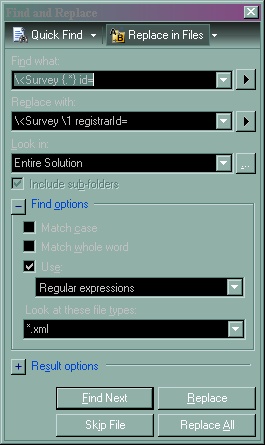
- Using Regular Expressions in Visual Studio for Replacing text
If you have lots of test xml files for creating objects and you need to add a new attribute, it's easy with regular expressions. For example, if you need to add "newattribute='1'" to all "Survey" elements scattered over many files like this one:
<Survey name='MoonManA' groupName='Baseline' priority='1' status='1' cellLimiter='100' surveyLimiter='100' dateStart='2004-01-10T08:00:00' dateEnd='2007-10-30T16:30:00' exclusions='0' cluster='Cluster1' >Enter "control-h" to bring up the Replace dialogue box and select the "Use:" check box in the lower left corner and make sure it displays "Regular expressions". Then enter these:
        "Find what:" \<Survey {[^\>]*}\>
        "Replace with:" <Survey  \1newattribute='0'>
This will match all characters between "<Survey" and the ">". Putting the expression in braces allows you to use the "\1" syntax to place in the matched characters. The final result is
<Survey name='MoonManA' groupName='Baseline' priority='1' status='1' cellLimiter='100' surveyLimiter='100' dateStart='2004-01-10T08:00:00' dateEnd='2007-10-30T16:30:00' exclusions='0' cluster='Cluster1' newattribute='0' >
- Removing an xml attribute
- Remove unwelcome characters from a string
- If you want to name a variables with the same name as keywords (which is almost always a bad idea), you must start with an "@"
An identifier with an "@" prefix is called a verbatim identifier.
var @abstract = "My variable"; //although "abstract" is a keyword, we can use as a regular identifier //did I mention this is a bad idea? - How to get the version number of your assembly?
This will print the version set in Properties/AssemblyInfo.cs.
Console.WriteLine("version:"+Assembly.GetExecutingAssembly().GetName().Version.ToString()); - Finalizers
C# provides a way to release resources when an object dies. Like in C++, the destructor has the same name as the class with a "~" prefix.
using System;
public class MyTest {
	~MyTest() {
		Console.WriteLine("Help, I'm being destroye.#@@!@##");
	}
	public static void Main(string[] args) {
		new MyTest();
		new MyTest();
    }
}
This produces the following, but not reliably since the Console.Out may have been closed by then.
Help, I'm being destroye.#@@!@## Help, I'm being destroye.#@@!@## - Garbage Collection
One of the great things about C# and Java is automatic garbage collection. Instead of having to specifically free memory, the Garbage Collector (GC) runs occassionally and frees the memory of unused objects for us.
The GC runs on a separate thread and starts at the root of an application and marks all objects that can be referenced. Afterwards it looks at all the objects and frees, or collects, all the objects without the mark.
After the collection, the GC moves all remaining "live" objects to the start of the heap to avoid memory fracturing.
The GC separates objects into three generations:
Gen0 contains objects that are freshly created.
Gen1 are objects who have survived a collection.
Gen2 objects are long lived.Since most of the churn happens in the Gen0 objects, these can be collected frequently and Gen1 and Gen2 objects will be collected less frequently.
The Large Object Heap (LOH) is a special heap used for very large objects. The GC uses special rules in handling these objects since they are different than regular objects.
You can have the GC notify you when it is about to start a collection cycle by hooking into "GC.RegisterForFullGCNotification".
You can suggest the Garbage Collector be initiated by running "System.GC.Collect()".
When disposing of objects, the garbage collector puts objects with finalizers in a special collection that will have their finalizers called by one or more threads. Be careful accessing a class's static variables (like decrementing a counter of objects) since the CLR may create more than one finalizer-running thread. After it's finalizer has been called an object will be eligible to be discarded during the next garbage collection round.
- Weak References
Sometimes objects may not be important enough to be kept in memory if we are running low on memory. In this case we can use the "WeakReference" class to point to these objects. The Garbage Collector will not count these references when deciding to reap these objects.
- CLSCompliant
Using the CLSCompliant(true) attribute marks the assembly as being Common Language Specification compliant, so VB and other .Net languages can use your assembly. When compiling with this attribute, the compiler warns you with the error message CS3008 of non-compliant issues like exposed variable names differing only in case.
... using System.Xml; [assembly: CLSCompliant(true)] namespace MyComponents { - Delegates
Delegates are type-safe function pointers.
// CalculateTax is a delegate that takes a double and returns a double
public delegate double CalculateTax(double x);
static public double StateTax(double x) {
   return x * 0.05;
   }
static public double FederalTax(double x) {
   if (x > 1000.0)
      return x * 0.02;
   else
   return 0.0;
}

static void Main(string[] args) {
CalculateTax stateDelegate = new CalculateTax(StateTax);
CalculateTax federalDelegate = new CalculateTax(FederalTax);
double amountOfPurchase = 12.99;
Console.WriteLine("{0}", stateDelegate(amountOfPurchase));
Console.WriteLine("{0}", federalDelegate(amountOfPurchase));

Console.In.ReadLine();
}
Looking ahead to Anonymous methods in C# 2.0, you can do the same as above with a cleaner look. We don't have to declare a real method, we can just inline it:
// CalculateTax is a delegate that takes a double and returns a double public delegate double CalculateTax(double x); static void Main(string[] args) { CalculateTax stateDelegate = delegate(double x) { return x * 0.05; }; CalculateTax federalDelegate = delegate(double x) { if (x > 1000.0) return x * 0.02; else return 0.0; }; double amountOfPurchase = 12.99; Console.WriteLine("{0}", stateDelegate(amountOfPurchase)); Console.WriteLine("{0}", federalDelegate(amountOfPurchase)); Console.In.ReadLine(); } - Example of a Binary Tree in C#
        using System;

        namespace BinaryTreeProject
        {
            public class Node
            {
                public int Value;
                public Node Left;
                public Node Right;

                public Node(int value)
                {
                    Value = value;
                }
                public override string ToString()
                {
                    return $"[{Value}]";
                }
            }
            public class BinaryTree
            {
                public Node Root;
                public void TraversePreOrder(Node node)
                {
                    if(node == Root){Console.Write("\r\nTraversePreOrder:");}
                    if (node == null)
                    {
                        return;
                    }
                    Console.Write(node);
                    TraversePreOrder(node.Left);
                    TraversePreOrder(node.Right);
                }
                public void TraverseInOrder(Node node)
                {
                    if(node == Root){Console.Write("\r\nTraverseInOrder:");}
                    if (node == null)
                    {
                        return;
                    }
                    TraverseInOrder(node.Left);
                    Console.Write(node);
                    TraverseInOrder(node.Right);
                }
                public void TraversePostOrder(Node node)
                {
                    if(node == Root){Console.Write("\r\nTraversePostOrder:");}
                    if (node == null)
                    {
                        return;
                    }
                    TraversePostOrder(node.Left);
                    TraversePostOrder(node.Right);
                    Console.Write(node);
                }

                public void InsertNode(int value)
                {
                    if (Root == null)
                    {
                        Root = new Node(value);
                        return;
                    }

                    Node parent = Root;
                    while (true)
                    {
                        if (value < parent.Value)
                        {
                            if (parent.Left == null)
                            {
                                parent.Left = new Node(value);
                                return;
                            }
                            else
                            {
                                parent = parent.Left;
                            }
                        }
                        else
                        {
                            if (parent.Right == null)
                            {
                                parent.Right = new Node(value);
                                return;
                            }
                            else
                            {
                                parent = parent.Right;
                            }
                        }
                    }
                }
            }
        }
//and the NUnit test to run an examples
using BinaryTreeProject;
using NUnit.Framework;

namespace BinaryTreeProjectTest
{
    [TestFixture]
    public class BinaryTreeTest
    {
        [Test]
        public void InsertTest()
        {
            BinaryTree tree = new  BinaryTree();
            tree.InsertNode(5);
            Assert.AreEqual(5,tree.Root.Value);
            tree.InsertNode(3);
            tree.InsertNode(1);
            tree.InsertNode(7);
            tree.InsertNode(4);
            tree.InsertNode(6);
            tree.InsertNode(9);

            tree.TraversePreOrder(tree.Root);
            tree.TraverseInOrder(tree.Root);
            tree.TraversePostOrder(tree.Root);

        }
    }
}
//and the output:
TraversePreOrder:[5][3][1][4][7][6][9]
TraverseInOrder:[1][3][4][5][6][7][9]
TraversePostOrder:[1][4][3][6][9][7][5]